
Summary: AutoScaled Changelog May 2026
What shipped on AutoScaled in May 2026?
May 2026 shipped three updates: AI that scans your presentation and auto-matches fields to replace with your CRM or data source data (no placeholders needed), AutoScaled launching in the Attio App Store, and AppSumo lifetime plans now temporarily including one CRM connection (HubSpot, Salesforce, or Attio).
Human-written articles. AI-powered summaries.
No More Placeholders: AI Now Maps CRM Data Automatically
This is worth taking a moment to explain properly, because it changes something fundamental about how AutoScaled works.
AutoScaled has always been a programmatic presentation tool. That means it does not generate presentations from scratch. It takes your existing PowerPoint or Google Slides template and dynamically replaces data in it (your CRM fields, your spreadsheet columns, your deal data) to produce a fully personalized version of that presentation for each record. Your brand, your layout, your slides. AutoScaled handles the data.
Until now, that required placeholders. To tell AutoScaled which parts of a slide should be replaced with live data, you had to mark them up first, wrapping the relevant text in {{brackets}} before uploading. For teams with clean templates and a clear sense of their data structure, that was manageable. For everyone else, it was a setup step that slowed the first run down.
🎉 That requirement is now optional.
Upload any existing presentation, no placeholders and no preparation required. AutoScaled's agentic AI scans it and identifies which fields in your slides are most likely candidates to be replaced with data from your connected CRM or data source. A field showing "John" gets matched to a first name.
A company name gets matched to an account record. It maps the replacements automatically and assigns each one a confidence level.
High confidence means the match is strong. A field labeled "First Name" on a slide mapping to a first name field in your CRM. A company name matching a company record. These are ready to use.
Worth a look means the match is plausible but less certain. A country name on a slide that could correspond to an address field. A revenue figure that might align to more than one data point. AutoScaled flags these for your review before the run executes.
You stay in control. Review the mapped fields, confirm or adjust them, and run. The confidence indicators tell you exactly where to focus your attention and where you can trust the AI to have it right.
If you prefer to use placeholders for maximum control, that option is still fully supported. AI mapping is an addition, not a replacement.
For how this capability fits into the broader category, including what “presentation automation” means for sales teams beyond AutoScaled jargon, see What Is Presentation Automation?.
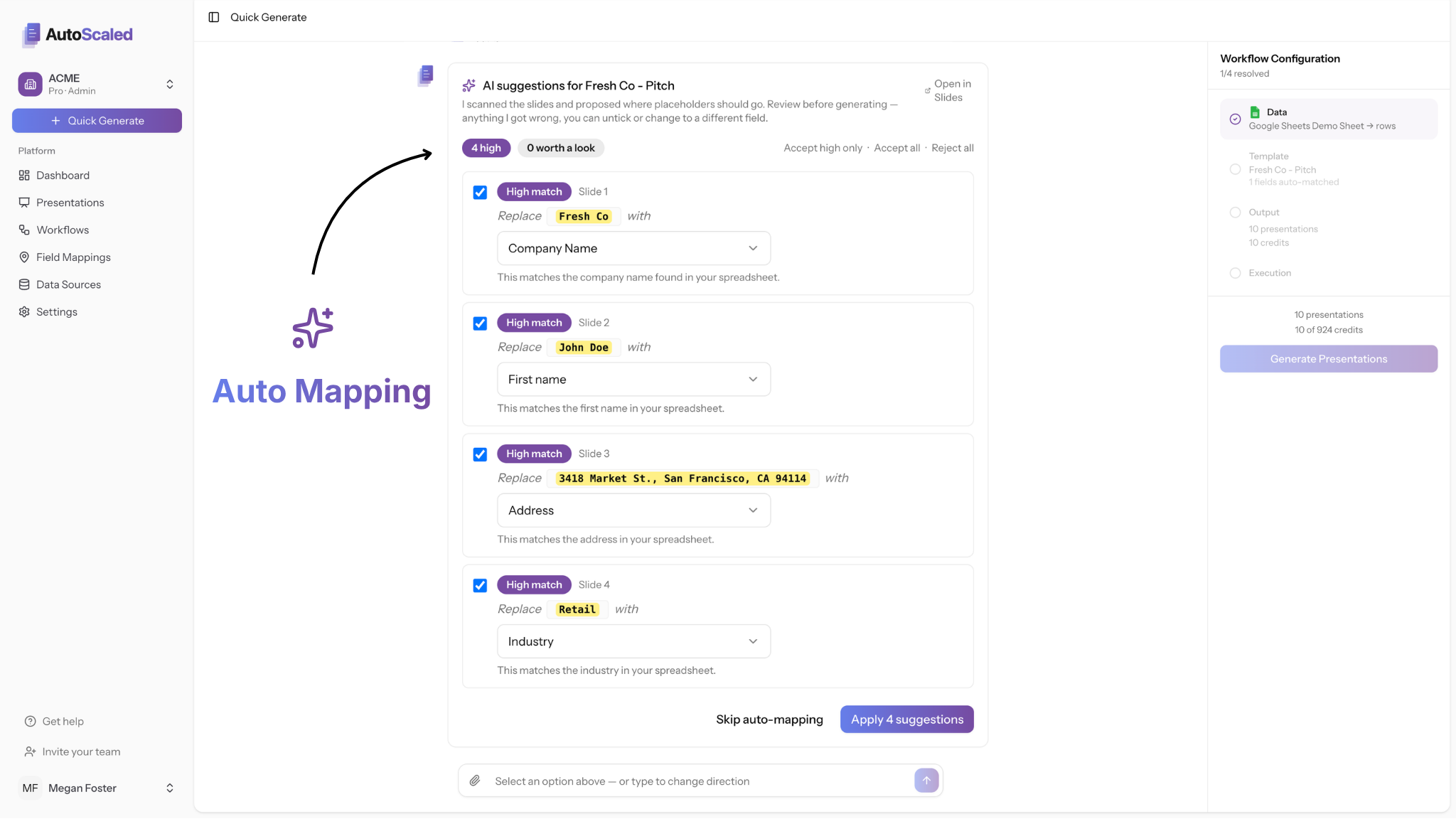
AutoScaled AI auto-mapping suggests field matches between CRM data and presentation content before generation.
AutoScaled Is Now Live in the Attio App Store
AutoScaled is the first document and presentation automation application to launch in the Attio App Store.
For teams running on Attio, this means AutoScaled is available to install directly from within your Attio workspace. Connect your account, set up a trigger or schedule based on Attio events (a new lead created, a deal moving to Proposal stage, a weekly account review cadence) and AutoScaled generates personalized presentations from your live Attio data automatically.
The Attio listing is not a directory entry. It is a reviewed, approved integration built on the Attio API, listed under the Automations category in their App Store. That distinction matters: Attio evaluated the integration before listing it, and the listing reflects that review. For teams considering AutoScaled, it is a meaningful signal about the quality and reliability of the connection.
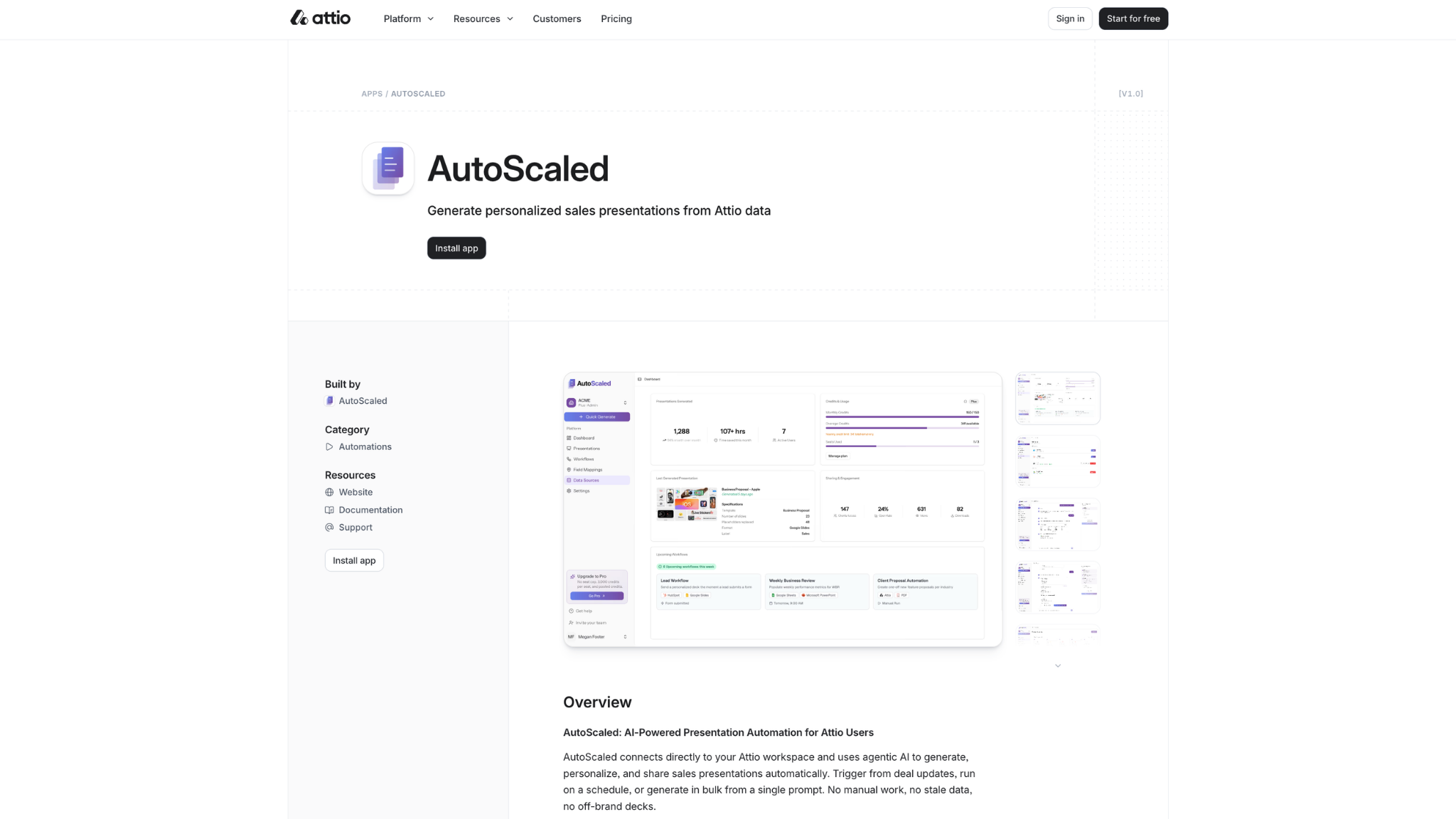
AutoScaled listing in the Attio App Store, including the install entry point and preview panel.
The use cases that work particularly well for Attio users:
- A new person is created in Attio. AutoScaled generates a personalized intro deck and delivers a branded share link automatically.
- A deal moves to Proposal stage. A tailored proposal presentation is generated from live deal data without rep involvement.
- Every Monday, AutoScaled pulls your active Attio accounts and produces fresh QBR decks.
Your teams start the week with presentations ready to send.
Setup takes under a minute from the Attio App Store listing linked above. No code required.
Short demo: automating sales decks from Attio CRM data in AutoScaled. Watch on YouTube for fullscreen, captions, or if the embed does not load.
AppSumo Lifetime Plans Now Include a CRM Connection
AppSumo lifetime deal holders can now connect a live CRM data source to their AutoScaled account.
That means HubSpot, Salesforce, or Attio can now be used as the data source for generating presentations on a lifetime plan. Trigger from CRM events, run on a schedule, or generate manually from your CRM records. Google Sheets, Microsoft Excel, and CSV remain supported as always.
This is a limited-time offer. If you have a lifetime deal, connect now to make sure you have access while it's available.
The plan includes one active connection at a time. To switch between sources, disconnect your current connection and connect a new one. All integrations are included in your plan, and more are on the way. The full integration roadmap is on the integration page.
Any questions, reach out to support.
The AI field mapping update has been in development for a while. It removes the single biggest setup friction point for new users, and it does something no other presentation automation tool currently does. If you have templates sitting unused because the placeholder setup felt like too much work, now is a good time to try them.
The 14-day Pro trial is free, no credit card required, and takes 3 minutes to set up. Start your trial here.
AutoScaled publishes a changelog every month. Subscribe below to get product updates, guides, and automation workflows for sales teams delivered to your inbox.


