
Summary: AutoScaled Changelog April 2026
What shipped on AutoScaled in April 2026?
April 2026 shipped three updates: onboarding that configures your dashboard from signup questions (role, industry, goals); launching presentation runs directly from the Data Sources page for Google Sheets, Microsoft Excel, and CSV; and last-triggered plus next-poll timestamps on CRM-connected workflows for HubSpot, Salesforce, Attio, and Google Sheets.
Human-written articles. AI-powered summaries.
A Smarter Start: Personalized Onboarding From Day One
Getting into a new tool and not knowing where to start is a friction point that kills momentum. When you sign up for AutoScaled now, your dashboard is no longer a blank slate.
From the moment you register, AutoScaled asks a few quick questions about your role, industry, pain points and what you're looking to automate. Your dashboard is then set up around your answers. If you're in Consulting and need consulting use cases, they are available. If you want tips related to generating business proposals, they are shown. The guidance now matches the work you actually want to do.
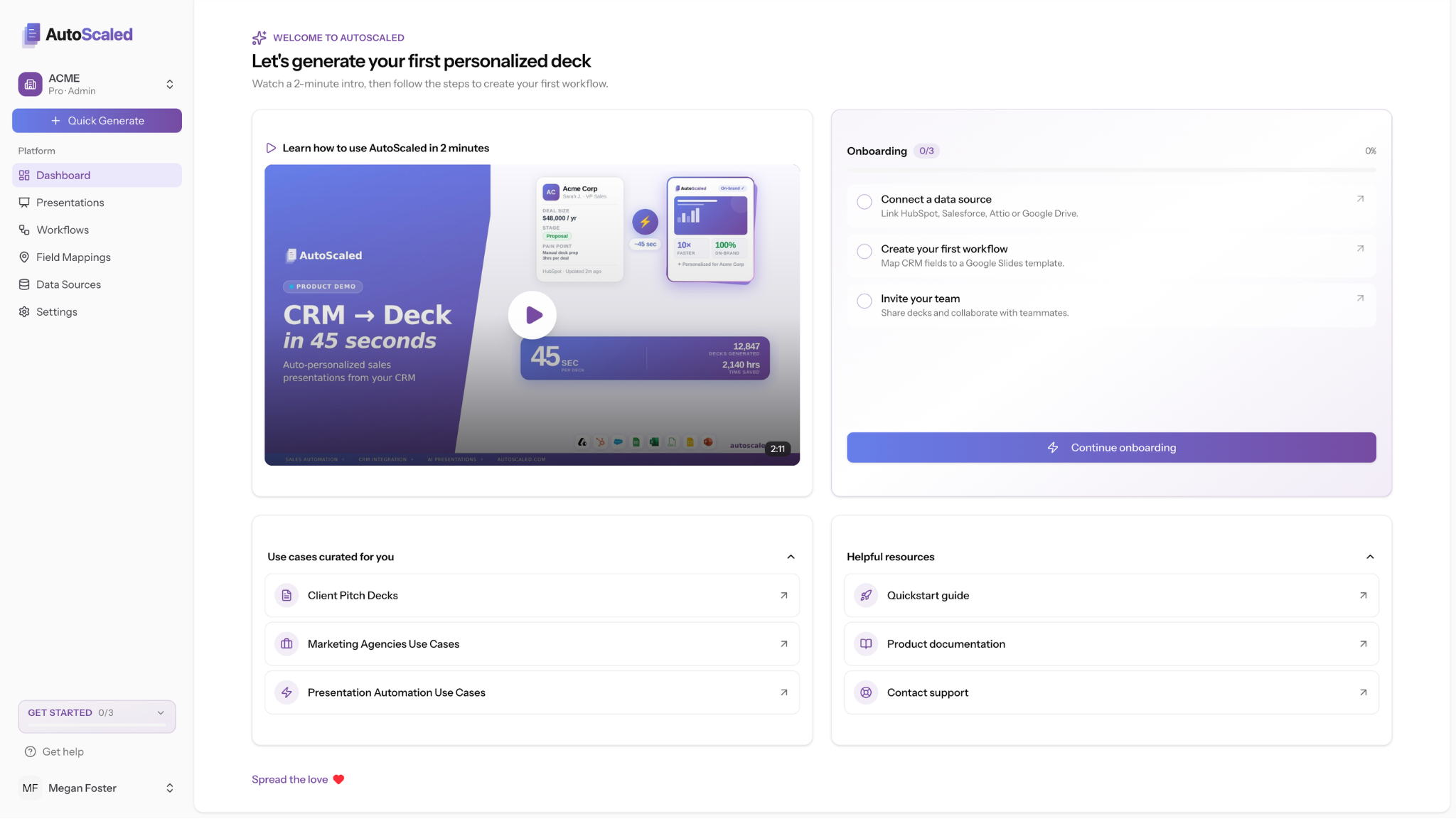
Personalized onboarding surfaces the checklist, industry-matched use cases, and resources tailored instead to you.
The goal is to get you to your first automated presentation faster. Setup has always been 3 minutes. This makes those 3 minutes count more.
Launch Presentations Directly From Your Data Sources
Previously, generating presentations from a Google Sheet, CSV, or Excel file meant navigating to your workflow, selecting your data source from the paperclip, and working through the setup from there. It worked. It just added steps.
You can now launch a data-driven presentation run directly from the Data Sources page.
Connect your Google Sheets or upload your Microsoft Excel and CSV file directly from the data sources page. After upload or connection, the workflow will instantly kick off making it easier to get started.
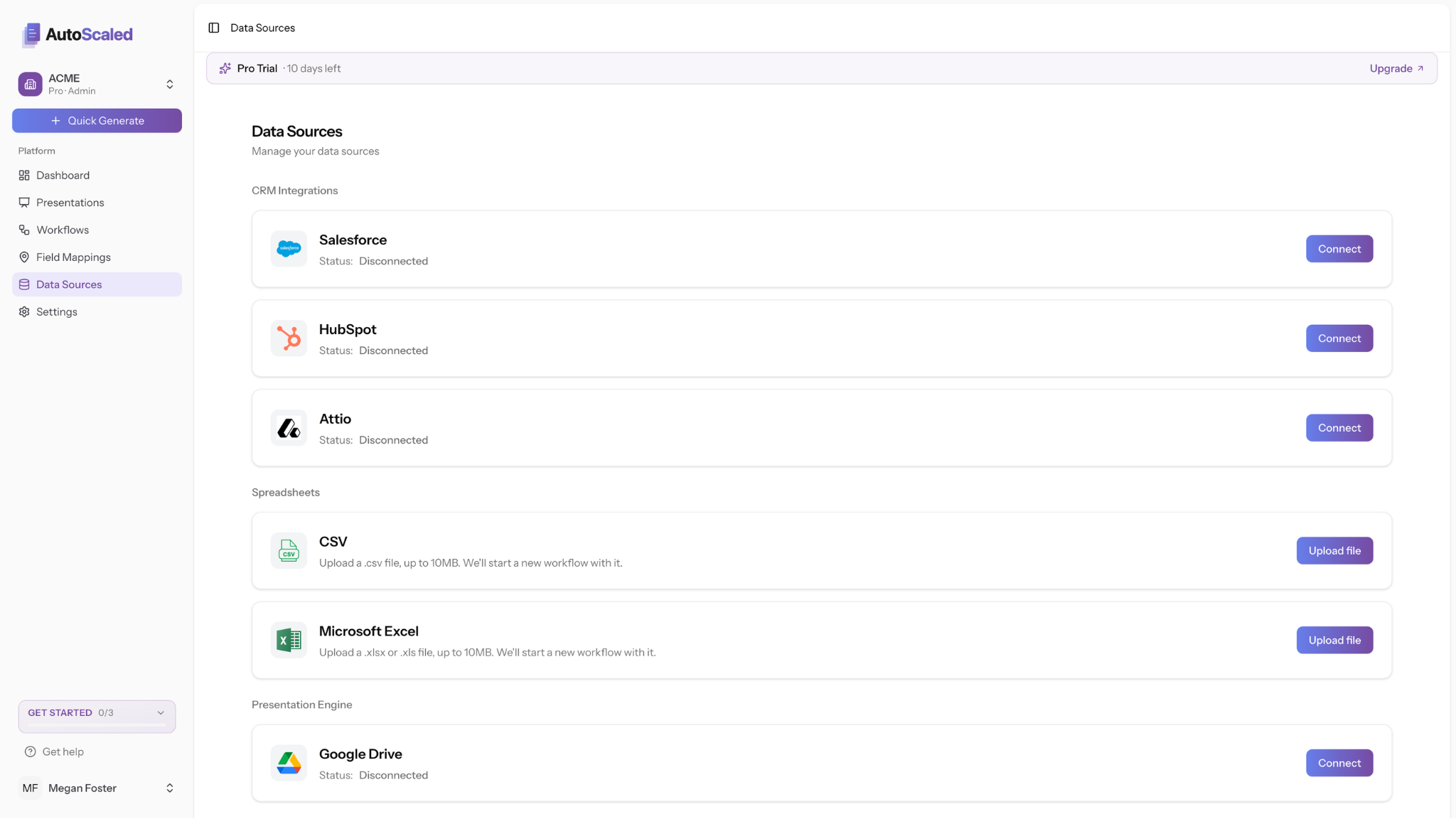
Starting from Data Sources, you can upload CSV or Excel or connect a sheet; the workflow begins right after upload.
Google Sheets, CSV, and Microsoft Excel are all supported.
Know Exactly When Your CRM Triggers Will Fire
Automated triggers are only useful if you trust them. If you're not sure whether a trigger ran, or when the next poll is due, you end up checking manually, which defeats the point.
The trigger interface now shows two things it didn't before: when the last trigger fired, and when AutoScaled will next poll your CRM for new qualifying events. Both are visible directly in the trigger settings panel for each workflow.
If a trigger hasn't fired when you expected it to, you now have the information to diagnose why without opening a support ticket. If you're setting up a new trigger and want to confirm it's active, the next scheduled poll time tells you exactly when to expect the first run.
This applies to all CRM-connected workflows, including HubSpot, Salesforce, Attio and Google Sheets automations.
These three updates came directly from how people are using AutoScaled. Onboarding feedback, data source usage patterns, and support conversations around trigger visibility all fed into what shipped this month.
If something on your end is still slower than it should be, we want to hear it.
And if you haven't started yet, the 14-day Pro trial is free, no credit card required, and takes 3 minutes to set up. Start your trial here.
AutoScaled publishes a changelog every month. Subscribe below to get product updates, guides, and automation workflows for sales teams delivered to your inbox.


